Ticket tool
Support tickets as private channels or threads, with transcripts.
How to set it up
- Open the dashboard, pick your server and then “Ticket tool”.
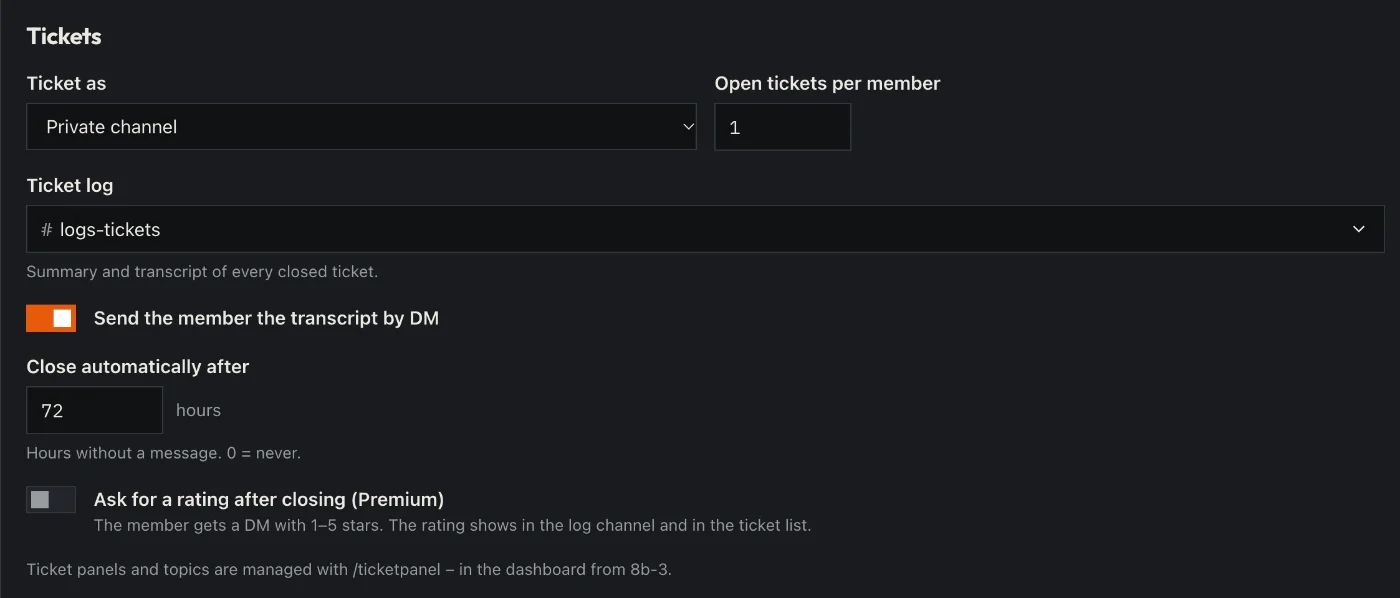
- Choose whether tickets are private channels or threads, and how many one person may have open.
- Build a ticket panel: title, text and categories with the team roles that see them.
- Send the panel to a channel.
- Click “Save” in the bar at the bottom. Sidekick uses it right away.
Good to know
- On closing, Sidekick keeps a transcript – in the dashboard under “Tickets” and by DM if you like.
- /ticket closes, reopens, claims the ticket or adds people.
Commands
/ticket/ticketpanel