Anti-raid
Stops raids, keeps out brand-new accounts and lets new members verify.
How to set it up
- Open the dashboard, pick your server and then “Anti-raid”.
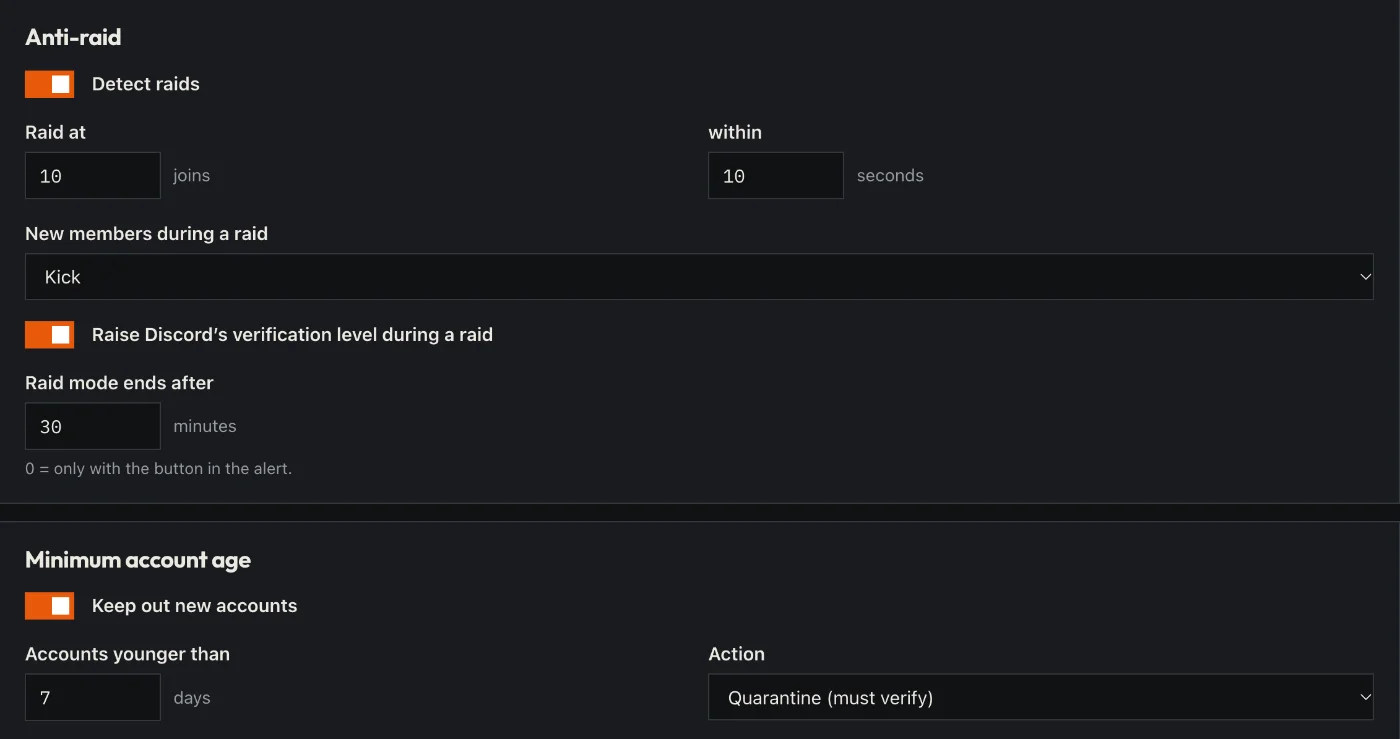
- Set up raid protection: after how many joins in how many seconds Sidekick steps in (kick or timeout).
- Set a minimum account age so brand-new accounts stay out.
- If you like: switch on verification – with a button or a captcha.
- Click “Save” in the bar at the bottom. Sidekick uses it right away.
Good to know
- During a raid Sidekick raises the verification level and ends on its own after the set time.
- Anti-raid, like all protection, is always free.
Commands
/protection