Automod
Deletes spam, scam links and unwanted content – with Discord's own AutoMod and Sidekick's rules.
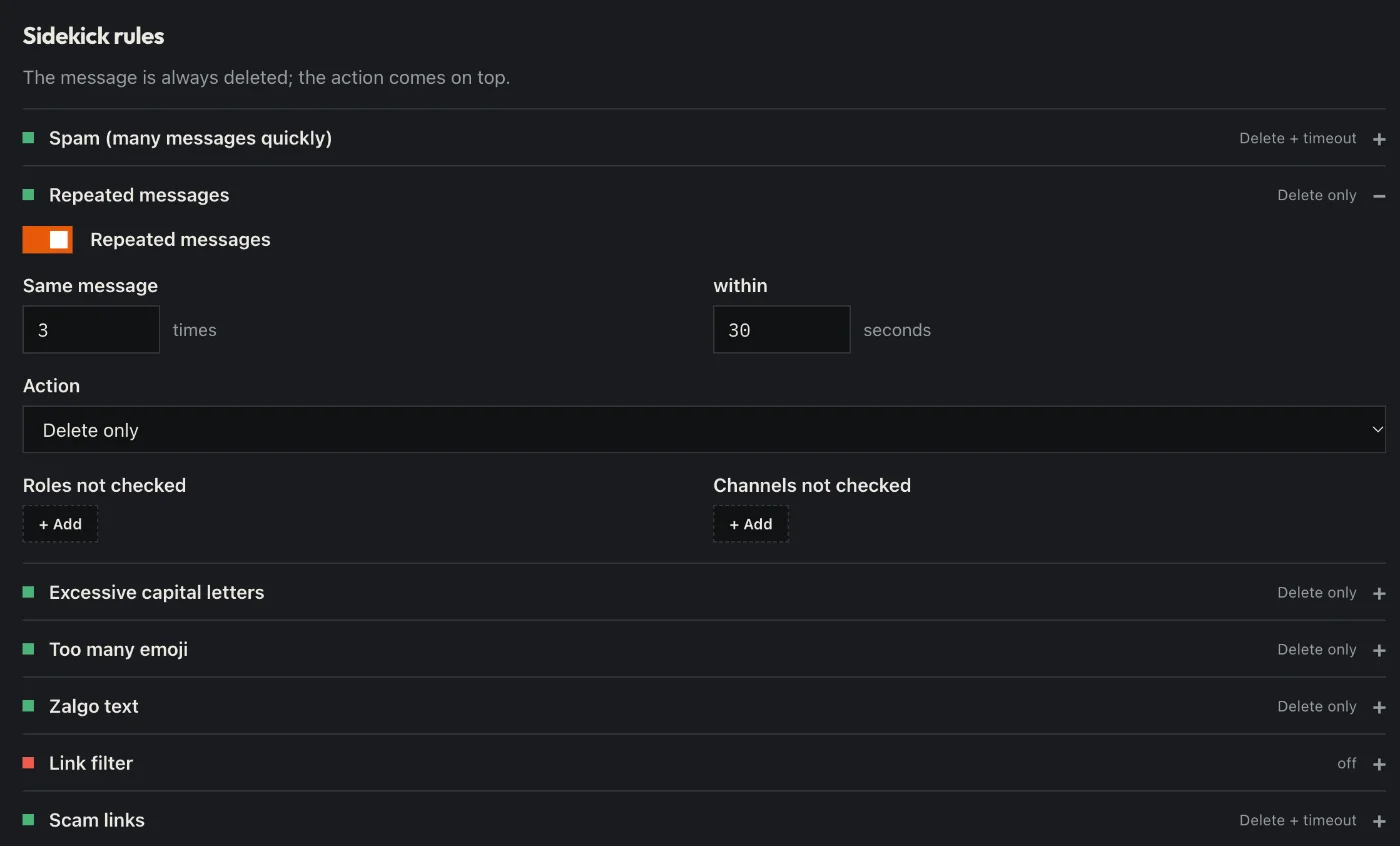
How to set it up
- Open the dashboard, pick your server and then “Automod”.
- Switch on the rules you need: spam, repeated messages, caps, emoji floods, zalgo text, links and scam links.
- Pick the action for each rule: delete, warn, timeout, kick or ban.
- Leave out channels and roles the rules should not apply to (e.g. the team).
- Click “Save” in the bar at the bottom. Sidekick uses it right away.
Good to know
- Sidekick uses Discord’s own AutoMod where it can – then messages are blocked before they are sent.
- Own word lists work too; with Premium also as regex.
Commands
/automod