Anti-nuke
Stops mass deletions and mass bans by hijacked admins or bots.
How to set it up
- Open the dashboard, pick your server and then “Anti-nuke”.
- Switch on anti-nuke.
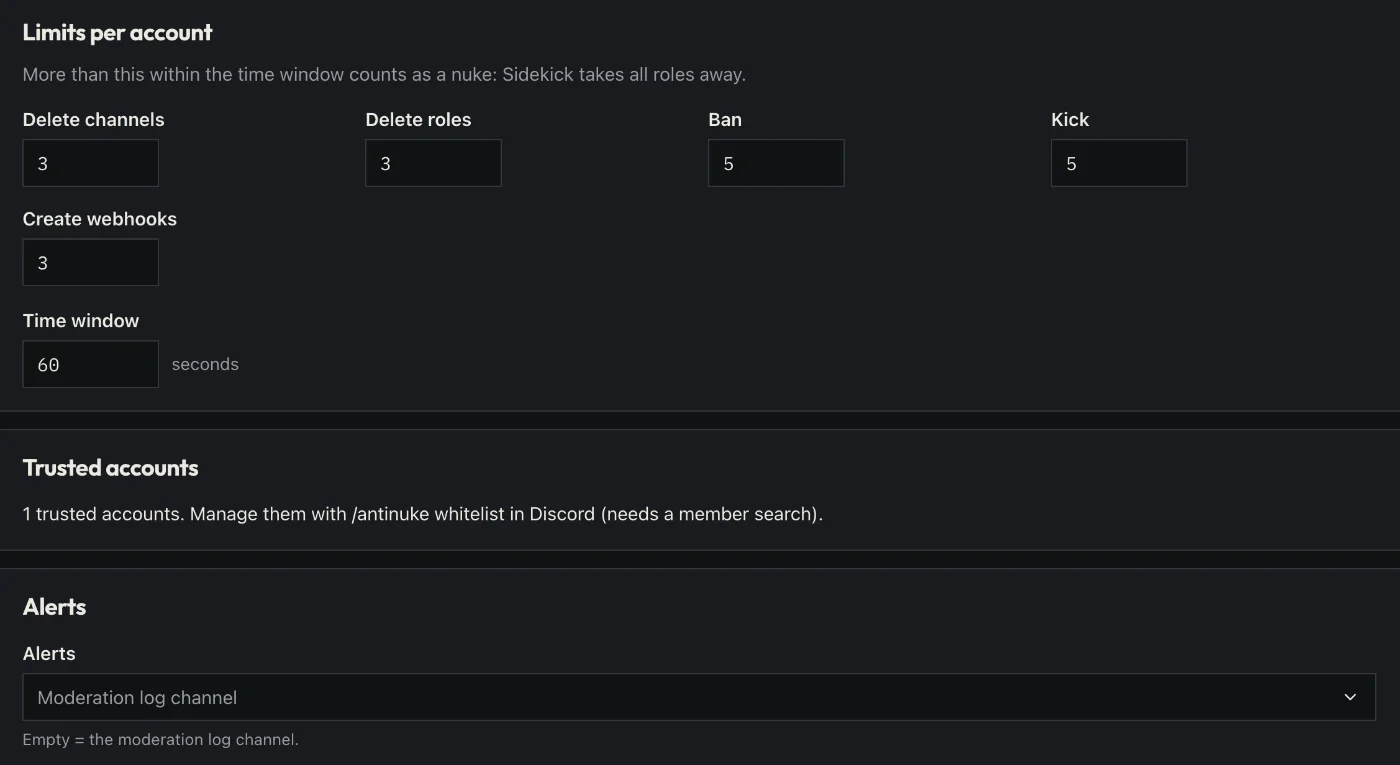
- Set the limits: how many channels, roles or bans are allowed in a short time.
- Put trusted people and bots on the exception list.
- Click “Save” in the bar at the bottom. Sidekick uses it right away.
Good to know
- When a limit is crossed, Sidekick takes the rights away from that person or bot and reports it.
- Sidekick’s role must be above the roles it should protect.
Commands
/antinuke