Scheduled messages
Send messages at a set time – once or again and again.
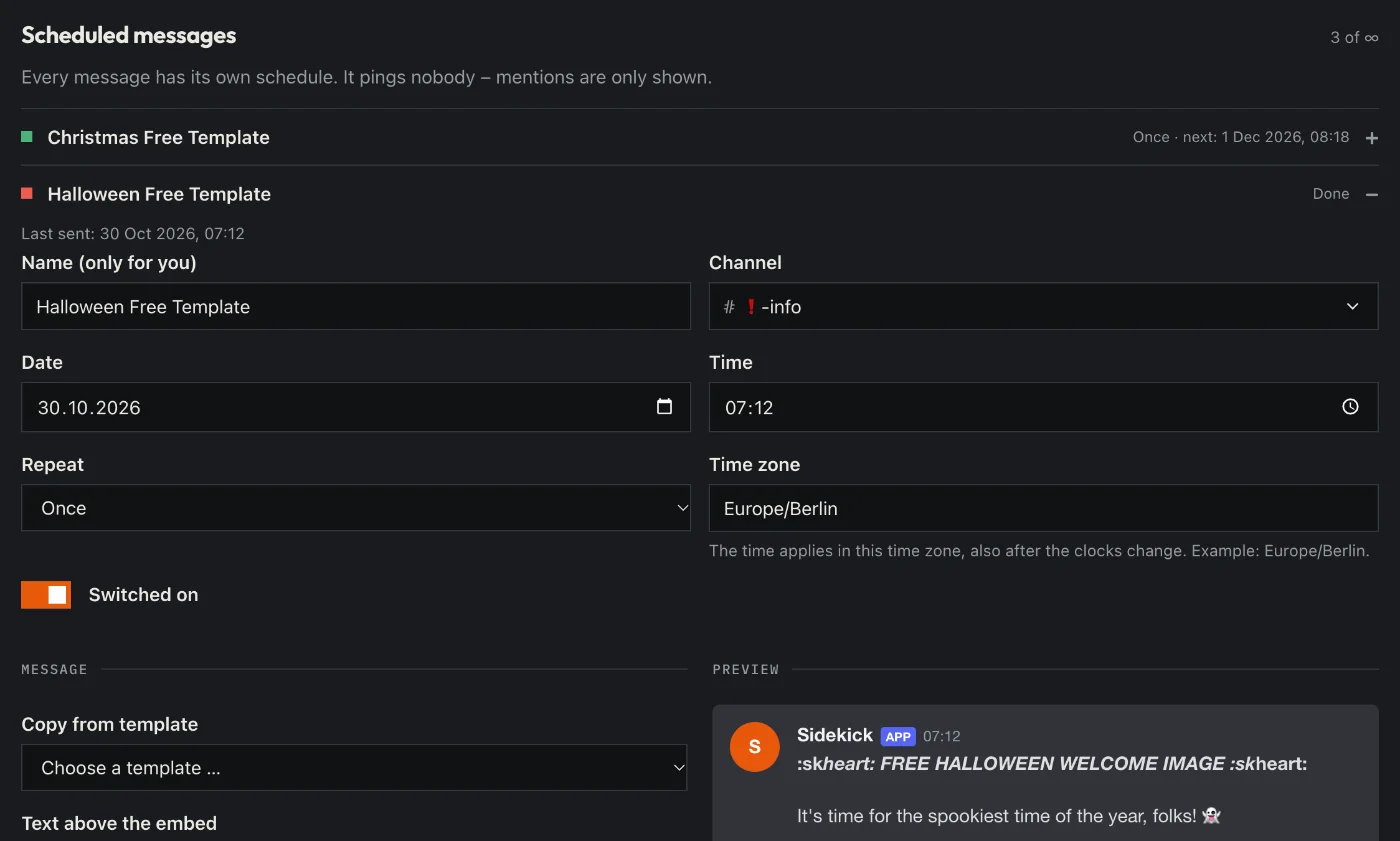
How to set it up
- Open the dashboard, pick your server and then “Scheduled messages”.
- Add a new message.
- Write text or an embed, pick the channel.
- Set the time: once, daily, weekly or monthly.
Good to know
- The time counts in the time zone you pick there.
Commands
No command of its own – everything runs through the dashboard.