Auto-responder
Answers certain words or questions automatically.
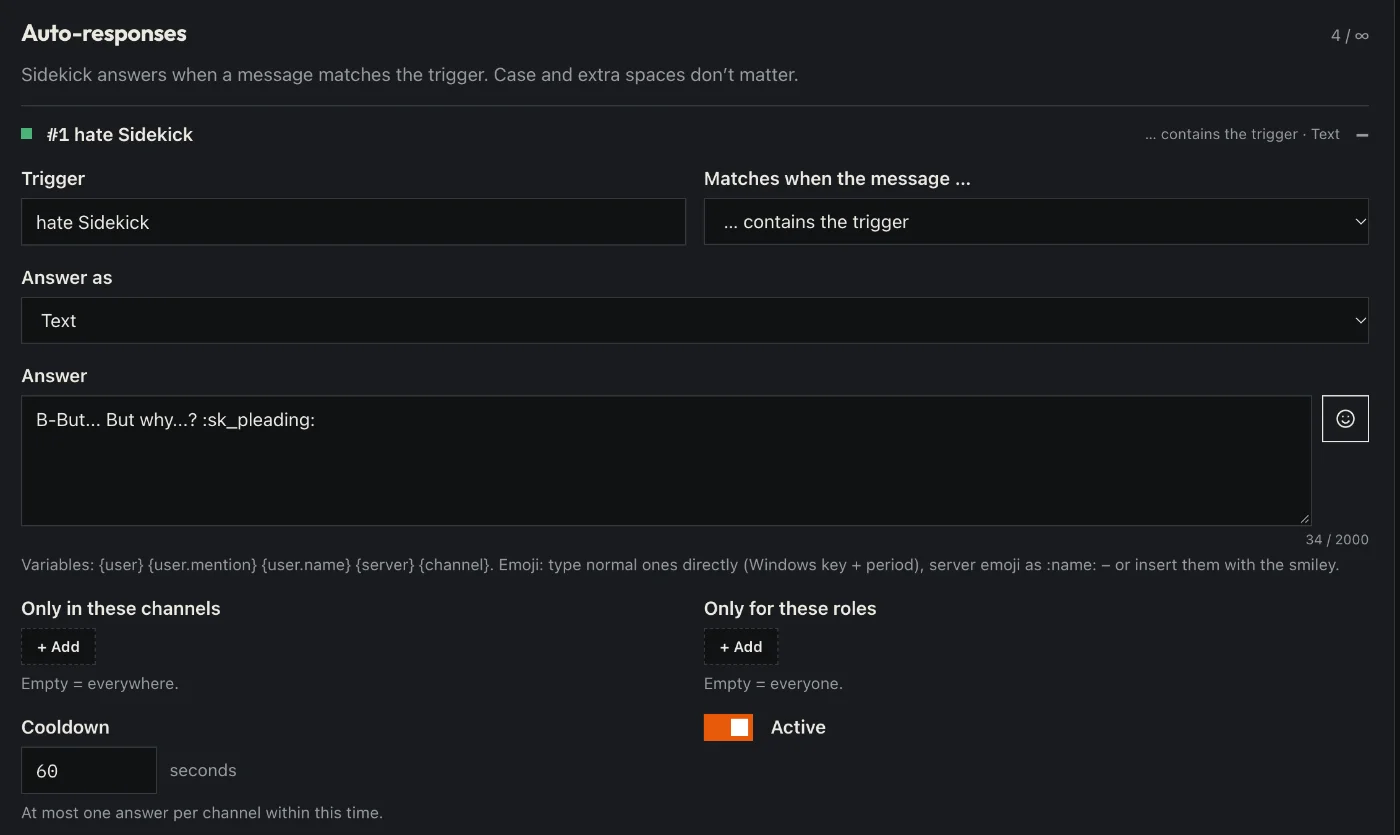
How to set it up
- Open the dashboard, pick your server and then “Auto-responder”.
- Add a new response: trigger (word or sentence) and answer.
- Choose how the trigger must match: exactly, contains or starts with.
- If you like: only in certain channels or for certain roles, with a cooldown.
- Click “Save” in the bar at the bottom. Sidekick uses it right away.
Good to know
- The answer can be text or an embed.
- With Premium, regex triggers work too.
Commands
/autoresponder